Install the app
Open BSmart Player on your Smart TV and copy the MAC address or Device ID displayed on screen.
BSmart Player turns M3U and Xtream playlists into a polished Smart TV interface with fast device activation, clean navigation and a premium design language made for big screens — not for apps that stayed stuck five years in the past.
Actual BSmart Player app screens show the home dashboard, live channels, EPG, movies, series and detail pages exactly in the big-screen style users see on TV.
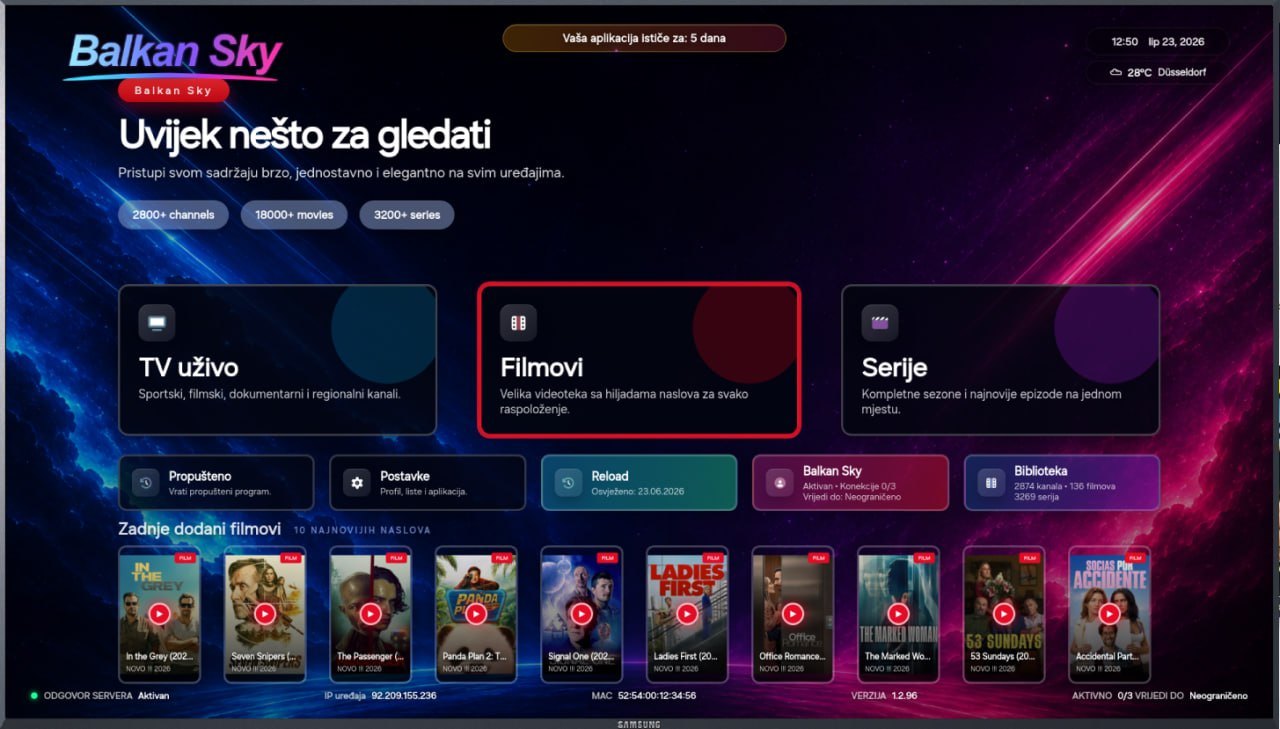
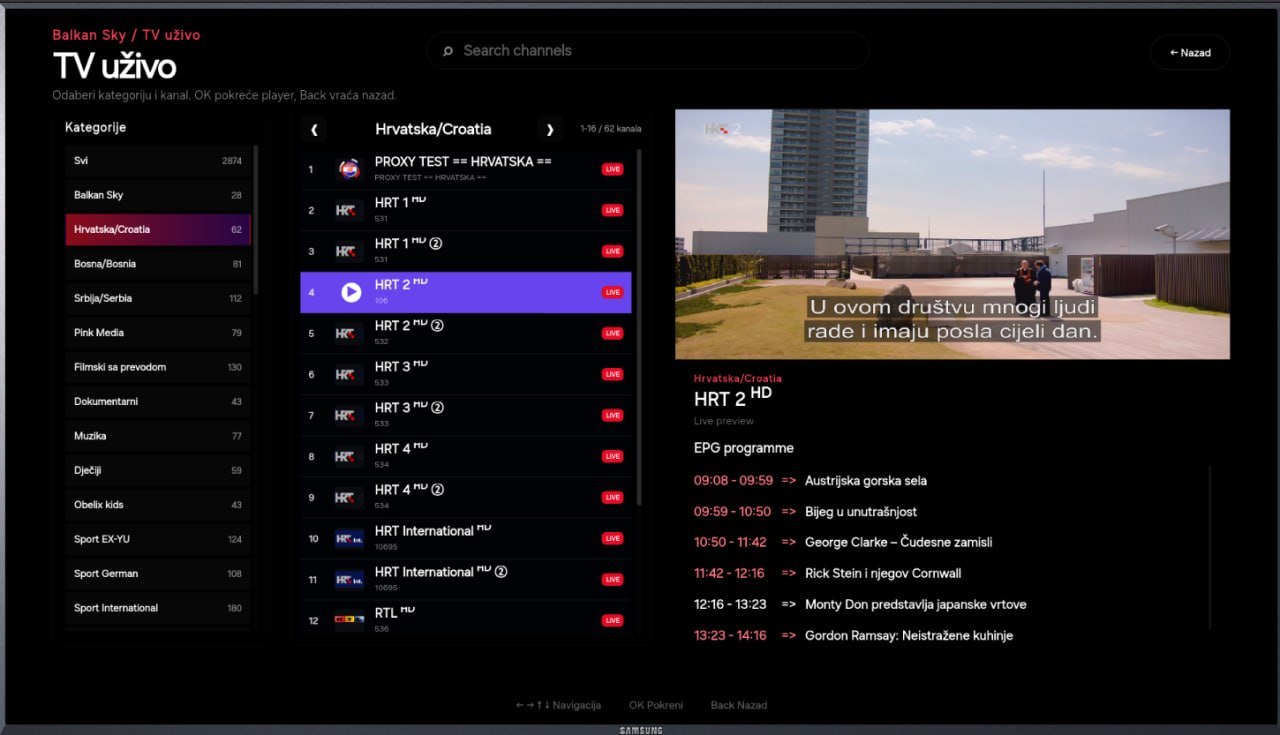
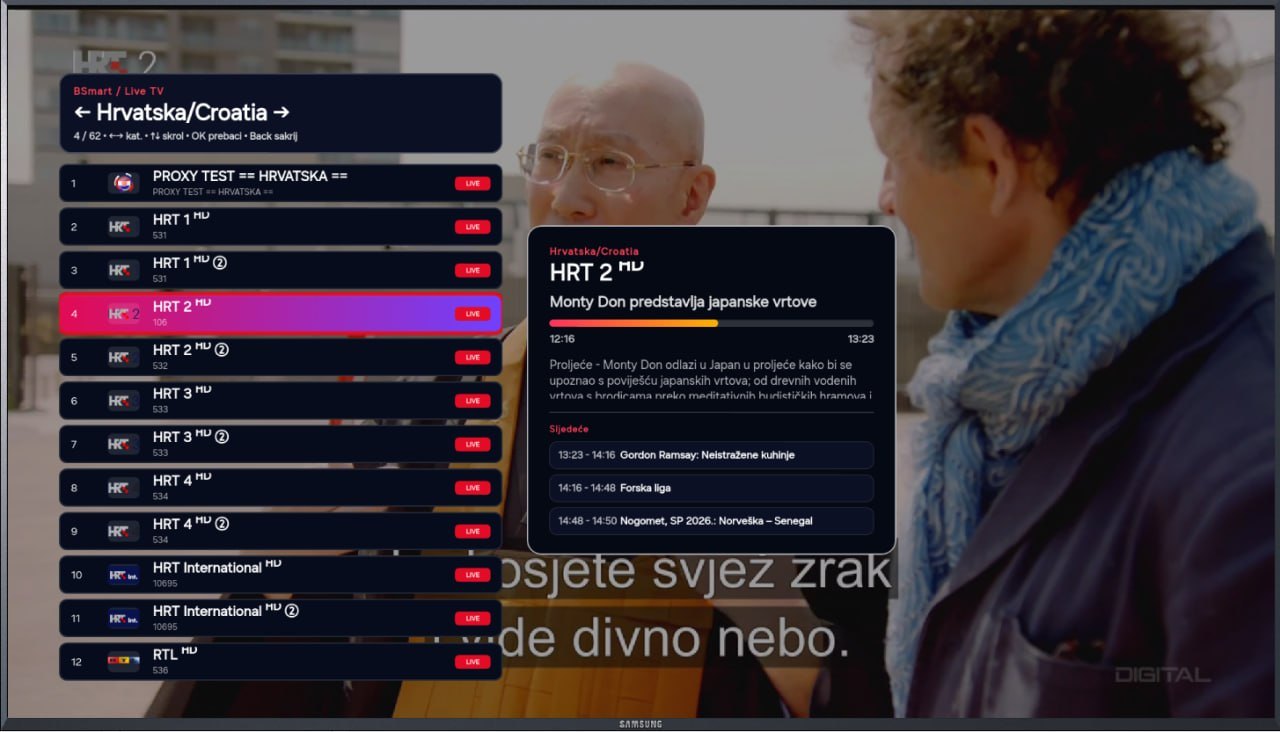
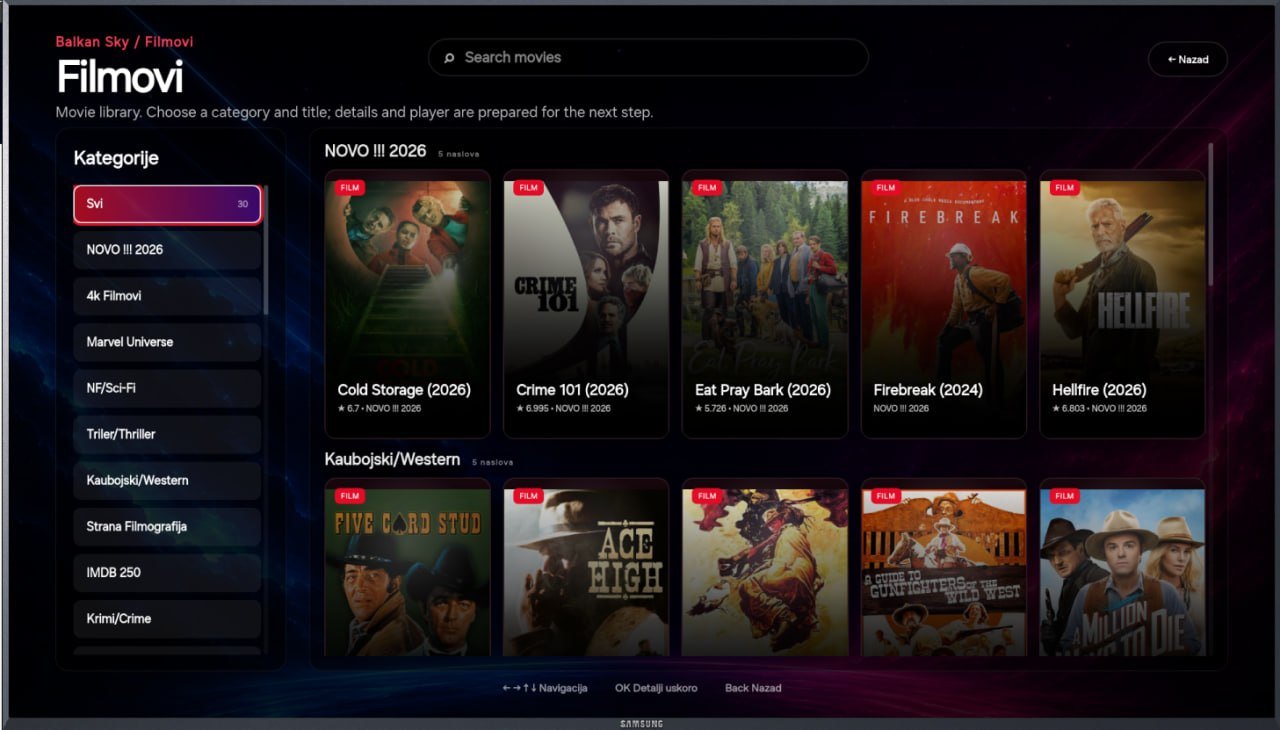
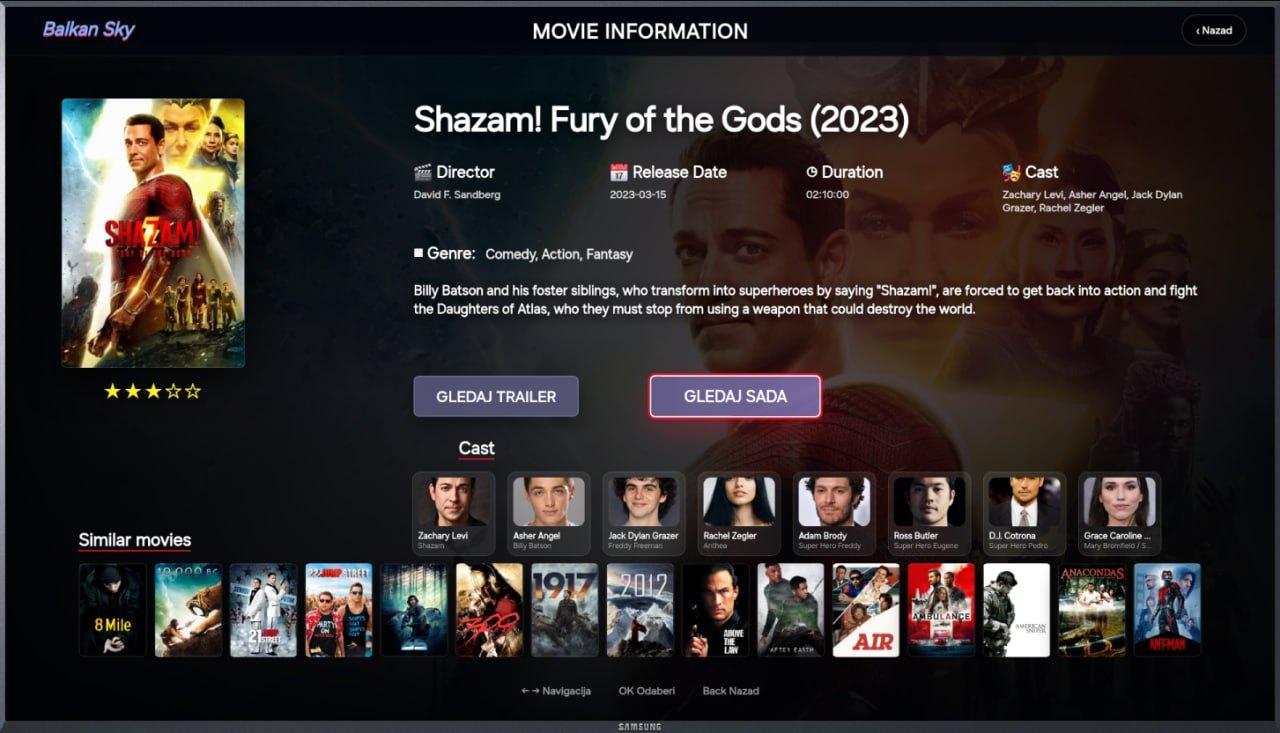
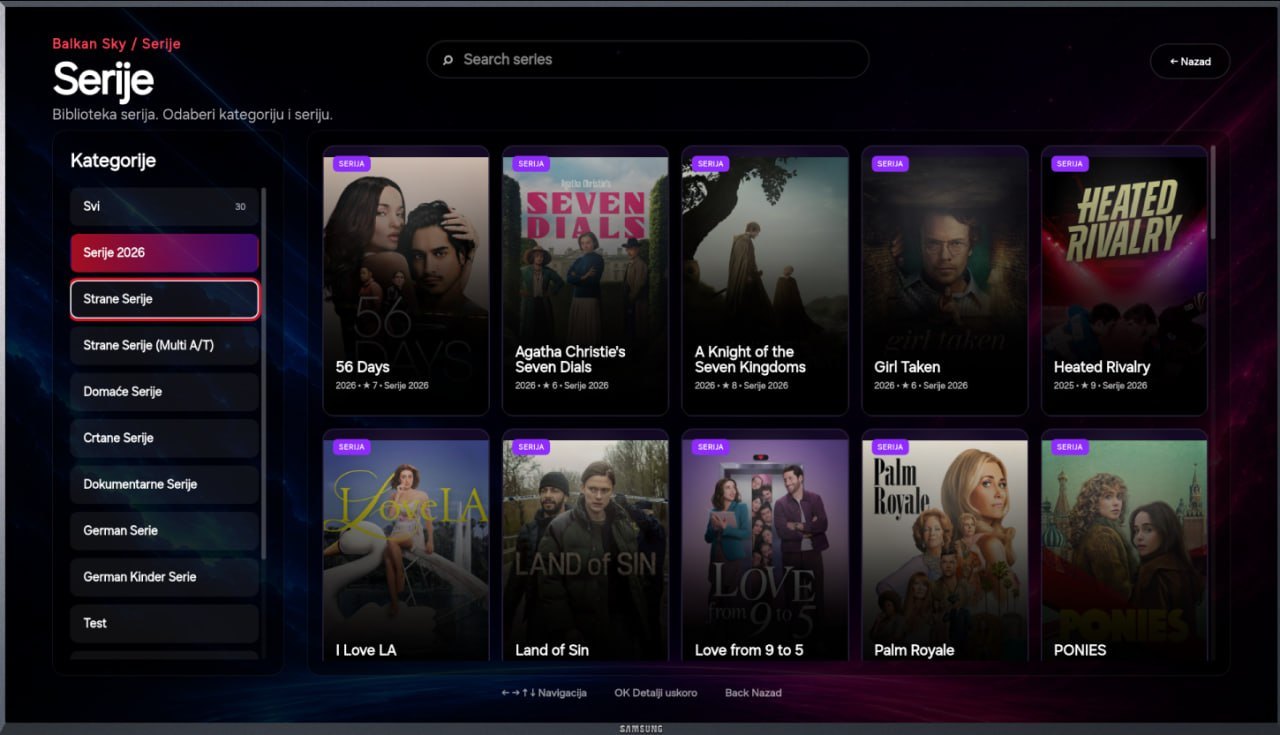
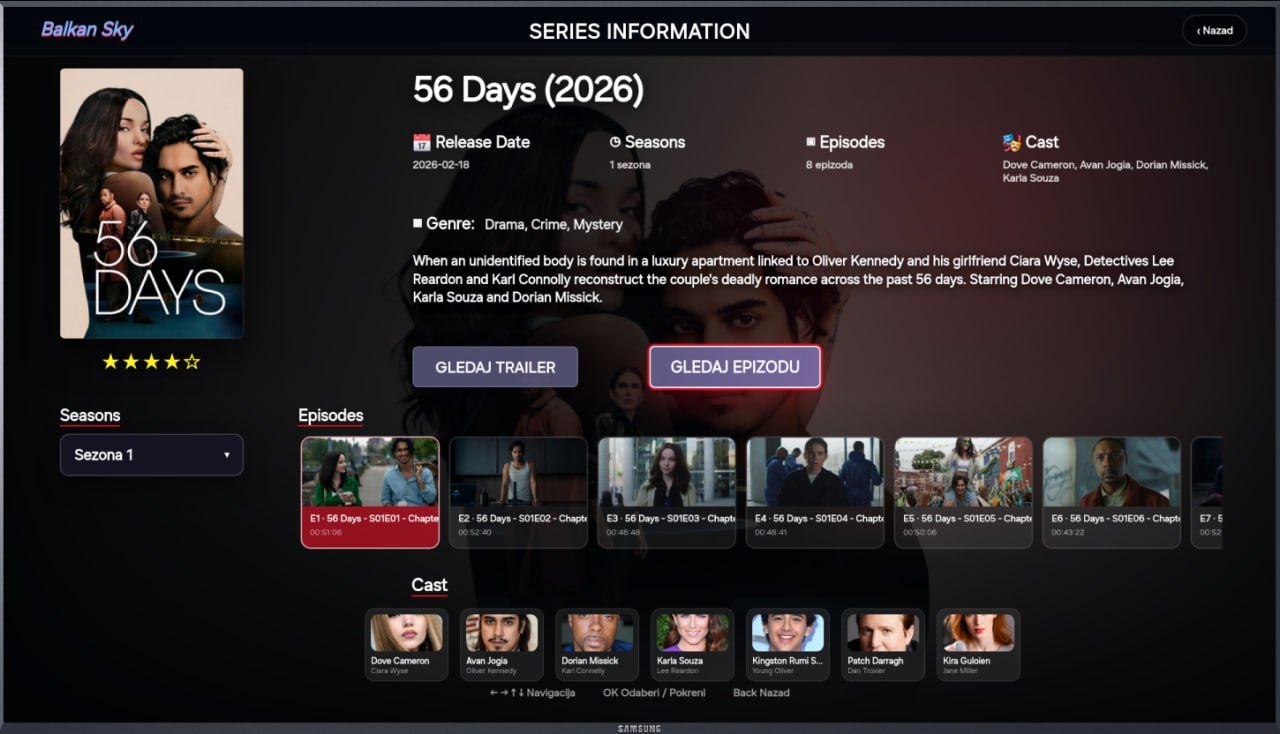
Most IPTV apps still look like they were designed years ago: crowded menus, flat lists, weak branding and a setup flow made for technicians. BSmart Player is built as a modern entertainment product — clean, visual, responsive and easy to understand from the first screen.
No complicated manual setup. The web portal connects the device, playlist and activation flow.
Open BSmart Player on your Smart TV and copy the MAC address or Device ID displayed on screen.
Use the web portal to check activation status and connect the device to a user or operator account.
Add an M3U link or Xtream login. The app loads available channels, movies and series on the TV.
The technology stays behind the scenes, but the user feels the difference: less friction, faster setup, better structure and an interface that finally matches modern streaming products.
Add a playlist, check your device and enjoy a cleaner Smart TV interface without copying files or fighting confusing settings.
Add playlistManage devices, activations, playlists, credits and brand identity from a modern panel built around real operator workflows.
Panel loginBSmart Player is an app and web portal for organized use of legally obtained M3U or Xtream playlists entered by the user. TV channels, movies, series and other media come from the user’s own IPTV source.